Instant Invoices
Generate a professional invoice the moment a job is done.
INVOICING & PAYMENTS
Create and send professional invoices in seconds, take payment by card or link, and track everything from one dashboard - no more chasing paperwork.
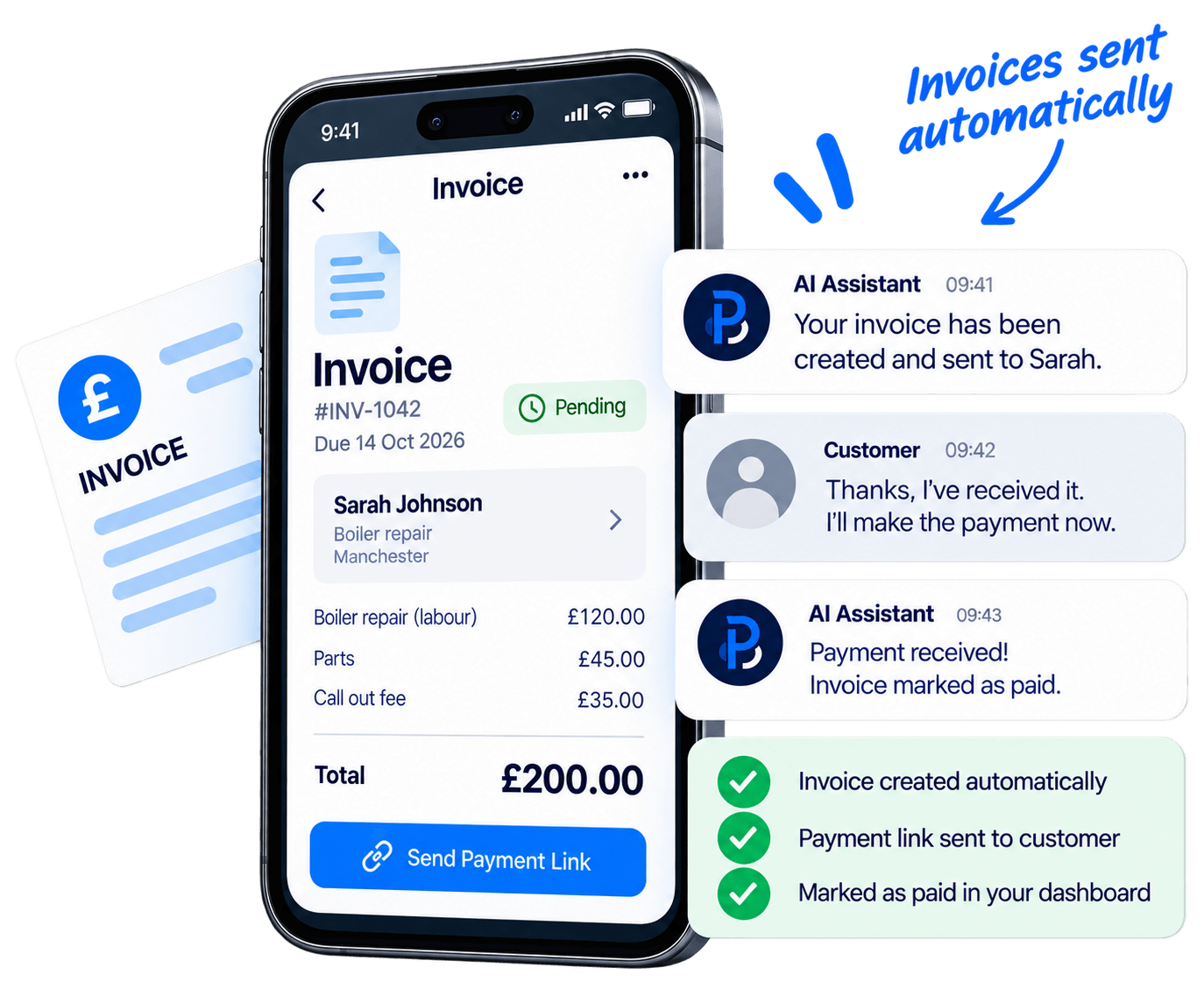
Generate a professional invoice the moment a job is done.
Customers pay by card or payment link in a couple of taps.
Overdue invoices are chased for you, so nothing slips through.
EVERY INVOICE, HANDLED
Your invoicing runs itself. Finish a job, the invoice is created and sent, the customer pays by link, and your dashboard updates - all automatically.
Mark the job done and the invoice is created automatically.
The customer receives it by email or SMS with a payment link.
Payment lands in your account and the invoice is marked as paid.
No paperwork. No chasing payments. No missed invoices.

FREQUENTLY ASKED QUESTIONS
Everything you need to know about invoicing and payments.
Invoices can be created automatically when a job is completed, or you can build one manually in seconds. Prices, customer details and job information are filled in for you.
Every invoice includes a secure payment link, so customers can pay by card in a couple of taps. Bank transfer details can be included too.
Automatic reminders are sent for overdue invoices, and you can see what is paid, pending or overdue at a glance on your dashboard.
Yes. Add your logo, colours, payment terms and notes so every invoice looks professional and matches your business.
No. Invoicing is built into your system, so quotes, jobs and payments all live in one place alongside your booking website.
Invoicing is included in the Growth and AI plans. See our pricing plans for full details of what is included in each.
We've had a noticeable increase in enquiries since our new website went live. Bookings, payments and reminders now all run themselves.
Brilliant service from start to finish. Customers can request a quote, pick a move date and pay a deposit without us lifting the phone.
Professional, reliable and easy to deal with. The automated follow-ups alone have brought in more work since the new site went live.
From the first demo to going live, everything was handled for us. Enquiries are up and we finally look as professional online as we are in person.
Customers keep telling us how easy the website is to use. They can request a quote and book a visit in minutes, even while we're out on site.
Setup was quick and the support has been excellent from day one. We're busier now than we've ever been since the new site went live.
READY TO GET PAID FASTER?